Track your sessions on reflex maps with ReflexoDesk
Paper session notes often end up in a binder, hard to review from one session to the next. ReflexoDesk builds on the tool you already use mentally during the session: the reflex map.
Record directly on the map
Open the session in full screen and click on the worked reflex zone. You indicate a sensitivity from 1 to 10 via the keyboard, and add a note if needed.
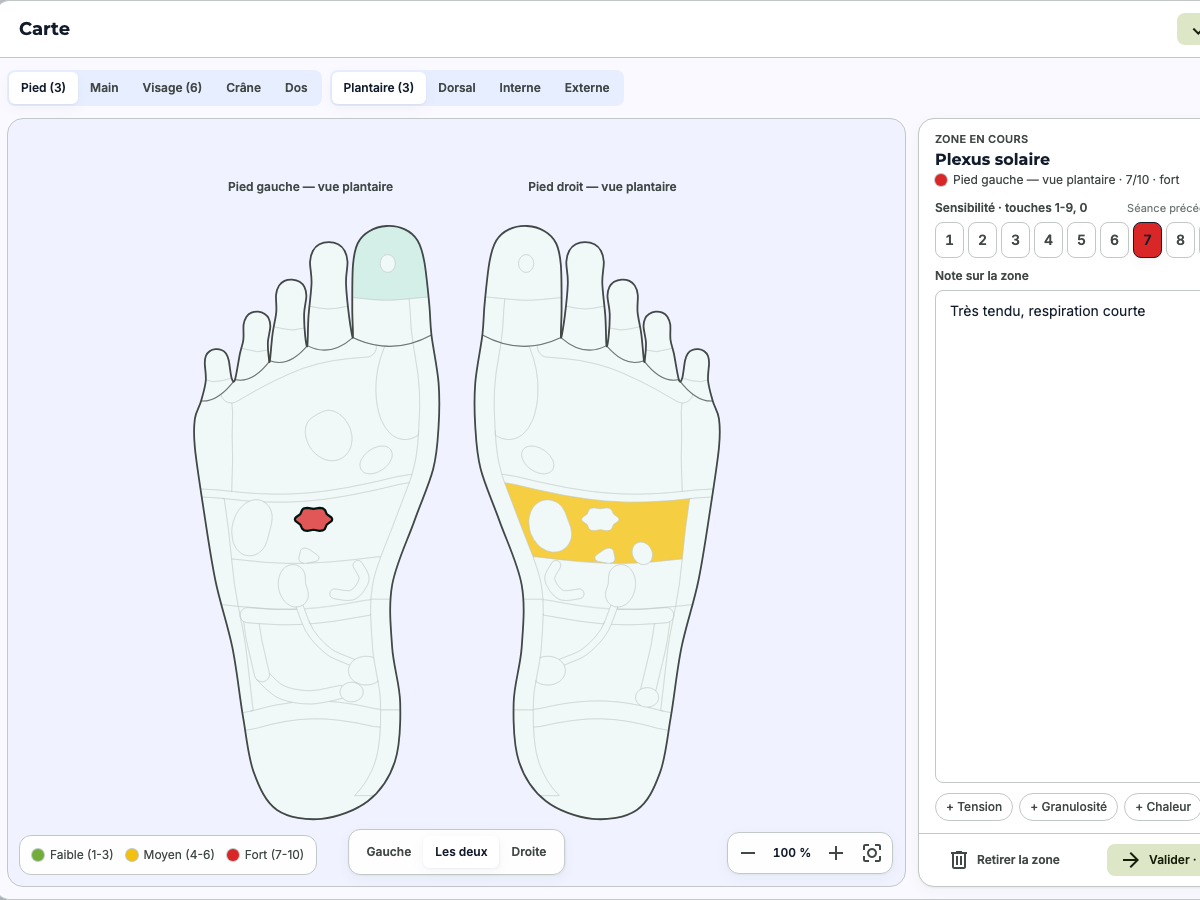
- Foot Plantar, dorsal, internal and external
- Hand, face, skull and back Left and right sides
- On the keyboard To avoid interrupting the session
The thread from one session to the next
Each client record keeps the history of their sessions: consultation reasons, concerns, sensitive reflex zones and their evolution. At the start of a session, a quick glance is enough to resume where you left off.
At the end of the session
- Draft the report and your recommendations based on what you recorded.
- Generate the invoice immediately, in PDF format, and send it by email.
- Your calendar remains synchronized with ReflexoLib.
A co‑pilot, if you wish
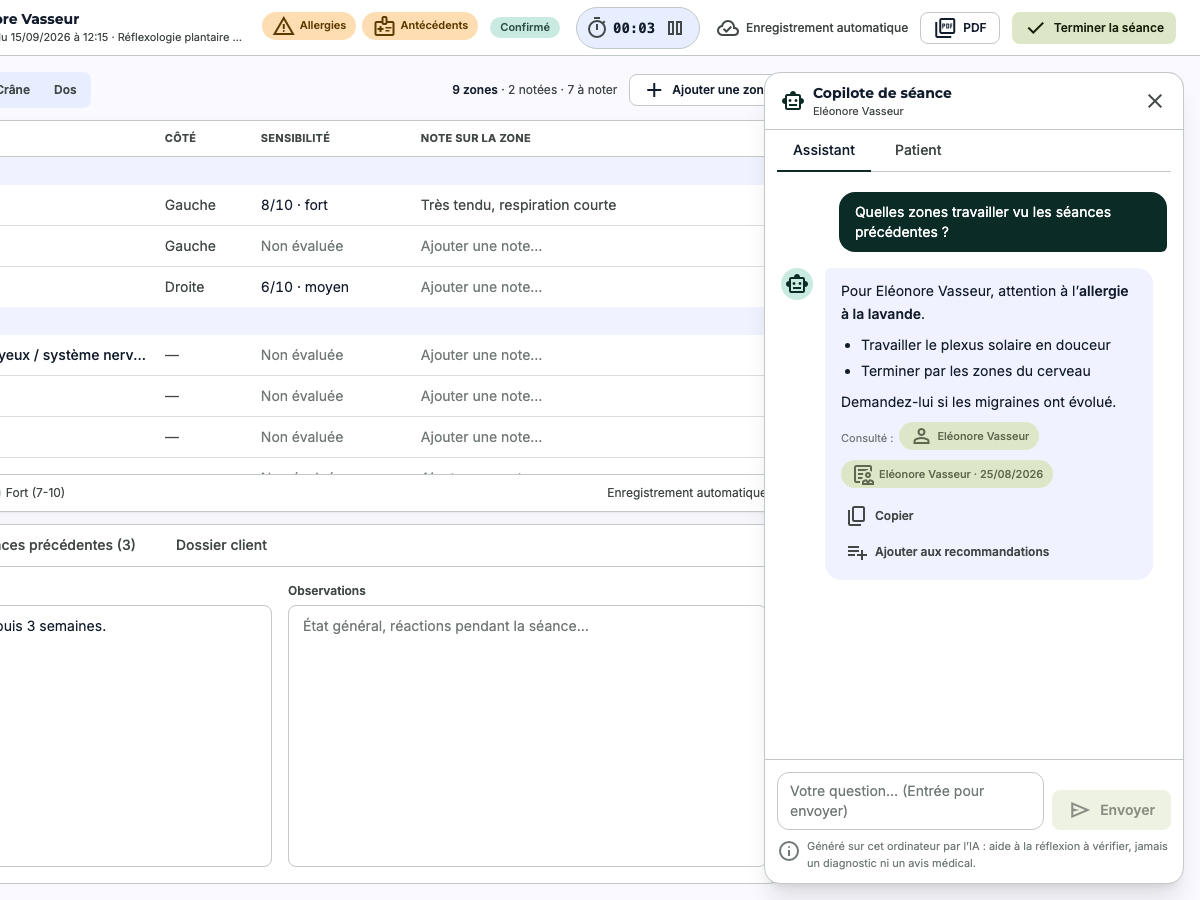
On Apple‑chip Macs, an AI assistant runs entirely on your computer: it opens beside the consultation and can suggest reflex zones to explore, precautions, or questions to ask. It helps you reflect and never provides a diagnosis.
Your records stay with you
Appointments are stored in an encrypted database on your computer and work offline. They are never sent to reflexolib.com: only the calendar and the information needed for bookings are synchronized.
Discover ReflexoDesk